Steve Jobs says MacBook Pro trackpad fix "coming soon": "
Getting a one sentence e-mail from Steve Jobs is the new getting a phone call from Henry Kissinger. Steve Jobs weighs in on trackpad clicking issue.
(Via Infinite Loop.)
Steve Jobs says MacBook Pro trackpad fix "coming soon": "
Getting a one sentence e-mail from Steve Jobs is the new getting a phone call from Henry Kissinger. Steve Jobs weighs in on trackpad clicking issue.
(Via Infinite Loop.)
Easy iWeb Publisher 3.0: "So what if you want to post an iWeb web site but don't want to pay $100 for MobileMe? This free utility does what its name says: it makes it easy to upload your iWeb site to any server.
(Via Macworld.)
Apple moving Finder to Cocoa: "

At long last, Apple has rewritten Finder using its Cocoa development environment for Snow Leopard, according to a report.
(Credit: Apple)Apple has finally rewritten one of the most important applications in Mac OS X in its preferred programming environment, according to a report.
AppleInsider reports that Finder, the ubiquitous ...
(Via One More Thing.)
Report: New Apple iMacs due in next couple weeks: "On the heels of last week's unveiling of a new MacBook lineup, there's now buzz about an iMac refresh in time for the holidays."
(Via CNET News.com.)
FireWire’s MacBook absence—inconvenience or fatal flaw?: "The most-talked about feature in Apple’s new MacBook may be something that’s not there—FireWire ports. Peter Cohen weighs in on Apple’s decision.
(Via Macworld.)
DisplayPort: What you need to know: "When it introduced its new laptops this week, Apple also introduced a new term to the vocabulary of Mac users—DisplayPort. Peter Cohen takes a closer look at this emerging industry standard and how it could benefit Mac users.
(Via Macworld.)
OpenOffice 3.0 released, for Mac: "OpenOffice.org 3.0, the first Mac-native version of the free office productivity suite, is now available.


(Via Macworld.)
Filed under: Software
 Perian, the ultimate QuickTime plug-in, was just updated to version 1.1.1. Some of the changes in this version include:
 Updated HandBrake encodes more than DVDs: "A new version of HandBrake encodes videos from your hard drive, in addition to DVDs.
(Via Macworld.)
September shows upward trend for Mac OS X, iPhone usage: "
Net Applications' latest 'market share' data reveals that Macs, and even iPhones, are slowly but surely gaining ground at the expense of other operating systems on the web. September was a good month
Mac 101: Create Custom Email Stationery: "
Filed under: Mac 101

Realmac Software release RapidWeaver 3.6.6: "Realmac Software today announced an update to RapidWeaver, its award-winning website creation application for Mac OS X..."
(Via MacMinute.)
Apple's MacBook refresh... not so fresh: "Apple's recent MacBook refresh didn't add much to the product line. What's Apple missing?"
(Via CNET News.com.)
Apple posts iPhoto 7.1.3 Update: "Apple today posted iPhoto 7.1.3 Update via its Software Update application and on the Web..."
(Via MacMinute.)
Pixelmator 1.1.3 updates move, crop and zoom: "
Filed under: Multimedia, Software, Cool tools, Leopard, Graphic Design
 The Pixelmator folks have updated their clean and simple picture editing app once again, and there are a host of new features and improvements on board for this one. The crop tool was the first thing that caught my eye -- it's more powerful than ever, as you can crop layer masks, set a rotation point, and constrain proportions with the palette. The zoom and move tools got some usability updates as well. All in all, it's a nice little update, and there's enough stuff in here to call for another try if you weren't into the functions of Pixelmator before.
OmniPlan 1.5 offers more Leopard support: "The Omni Group today announced a new release of their project planning application, OmniPlan..."
(Via MacMinute.)
iTunes compiles Rock Band tracks: "
Filed under: Analysis / Opinion, Gaming, iTS, Odds and ends, iTunes

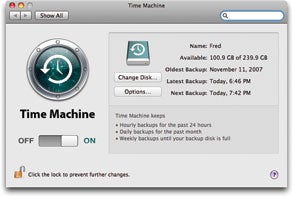
Is Time Machine all you need?: "Although any backup is better than no backup at all, Time Machine may not protect your data to the extent or in the way that you need. A few significant weaknesses offset its impressive strengths."
(Via Macworld.)

Vara Software ships ScreenFlow for Mac OS X: "Vara Software today shipped ScreenFlow, an advanced Screencasting software package for Mac OS X Leopard..."
(Via MacMinute.)