Showing posts with label OS X Leopard. Show all posts

Tuesday, September 09, 2008

Mac 101: Create Custom Email Stationery

A fantastic tip from TUAW about custom Mail.app stationery. - Tim Godby

Mac 101: Create Custom Email Stationery: "

Filed under:


Have you used Mail's stationery and thought that it was too limiting or did not appeal to your tastes? With a simple save button, you can create your own stationery to be exactly the way you want it. Just create a new Mail message, filling in the body as you see fit -- use special formatting, colors, even filler text.

When you have completed your stationery template, click File > Save As Stationery. A dialog box will prompt you to name your new creation. Enter a descriptive title and click 'Save.' Your new stationery will appear under 'Custom' whenever you click the 'Show Stationery' button in a new mail message. Clicking your template name will automatically recreate your template in the body of the new message.

This is handy for businesses or individuals who need to have custom formatted emails, and need them to be uniform each time they send them.


Like this tip? Want more? Just visit TUAW's Mac 101 section.

Friday, February 22, 2008

OmniPlan 1.5 offers more Leopard support

OmniPlan 1.5 offers more Leopard support: "The Omni Group today announced a new release of their project planning application, OmniPlan..."


(Via MacMinute.)

Saturday, February 16, 2008

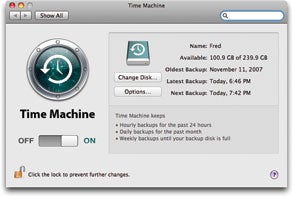
Is Time Machine all you need?

Is Time Machine all you need?: "Although any backup is better than no backup at all, Time Machine may not protect your data to the extent or in the way that you need. A few significant weaknesses offset its impressive strengths."


(Via Macworld.)

Vara Software ships ScreenFlow for Mac OS X

Vara Software ships ScreenFlow for Mac OS X: "Vara Software today shipped ScreenFlow, an advanced Screencasting software package for Mac OS X Leopard..."


(Via MacMinute.)

Tuesday, February 05, 2008

Apple updates Braille support in Leopard

Apple updates Braille support in Leopard: "

Filed under: ,

Today, Apple released the Braille Display Update 1.0 for VoiceOver in Leopard. VoiceOver, part of the Universal Access family of accessibility tech, allows blind or visually impaired users to hear what's on the screen. Via the new update, when you connect a compatible Braille display, 'VoiceOver automatically detects it and sends it information about what is displayed on the screen.' This update adds new support for certain Braille displays, including the HandyTech Braille Star 8, GW Micro BrailleSense, and more.
This update is available for users of Mac OS X Leopard by using Software Update (Apple menu > Software Update) or by downloading the installer package from the Apple support downloads site. If you're currently using a Braille screenreader under Leopard -- or you were waiting for support for your screenreader via this update -- drop us a comment to let us know if the update makes a difference for you.

(Via The Unofficial Apple Weblog (TUAW).)

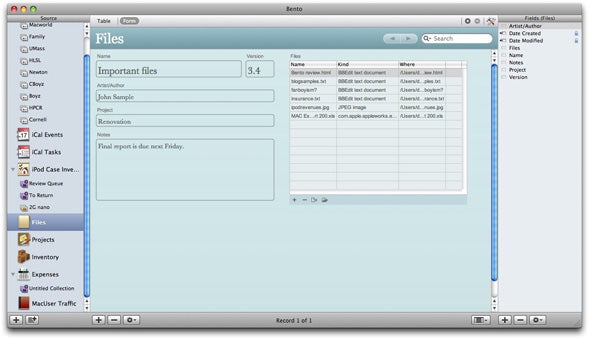
Bento, FileMaker Pro K-12 solutions to be showcased

Bento, FileMaker Pro K-12 solutions to be showcased: "FileMaker will demonstrate both Bento (US$49), the new personal database software for Mac OS X Leopard, and FileMaker Pro K-12 solutions, that helps schools collect, manage and report on student and administrative data, at the 2008 Texas Computer Education Association (TCEA) Convention & Exhibition, February 6-8..."


(Via MacMinute.)

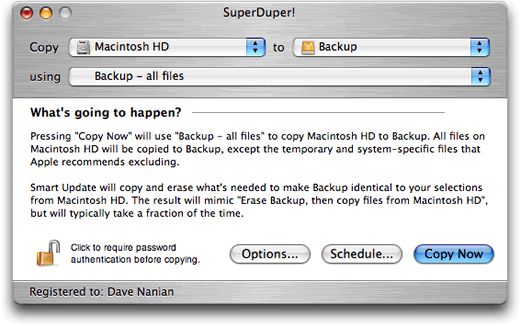
SuperDuper! 2.5 offers Leopard compatible

SuperDuper! 2.5 offers Leopard compatible: "Shirt Pocket today announced that SuperDuper! 2.5 (US$27.95),the latest release of the company’s fully bootable backup utility..."


(Via MacMinute.)

FileMaker Server 9, Server 9 Advanced now Leopard compatible

FileMaker Server 9, Server 9 Advanced now Leopard compatible: "FileMaker has today announced that FileMaker Server 9 and FileMaker Server 9 Advanced 9.0.3.325, with peer-to-peer network sharing, PHP Web publishing, connections to External SQL sources and much more are now Mac OS X Leopard compatible. Extensive detailed information on enhancements and fixes are available from the site..."


(Via MacMinute.)

Apple posts iPhoto 7.1.2, ProKit 4.5, more

Apple posts iPhoto 7.1.2, ProKit 4.5, more: "Apple today released several software updates. These include: iPhoto 7.1.2 (addresses issues when publishing photos to a .Mac Web Gallery, improves overall stability, and fixes a number of other minor issues; ProKit 4.5 (improves reliability for Apple’s professional applications and is recommended for all users of Final Cut Studio, Final Cut Express, Aperture, Logic Studio and Logic Express; and Braille Display Update 1.0 (adds support in Mac OS X v10.5 Leopard for Braille displays)..."


(Via MacMinute.)